

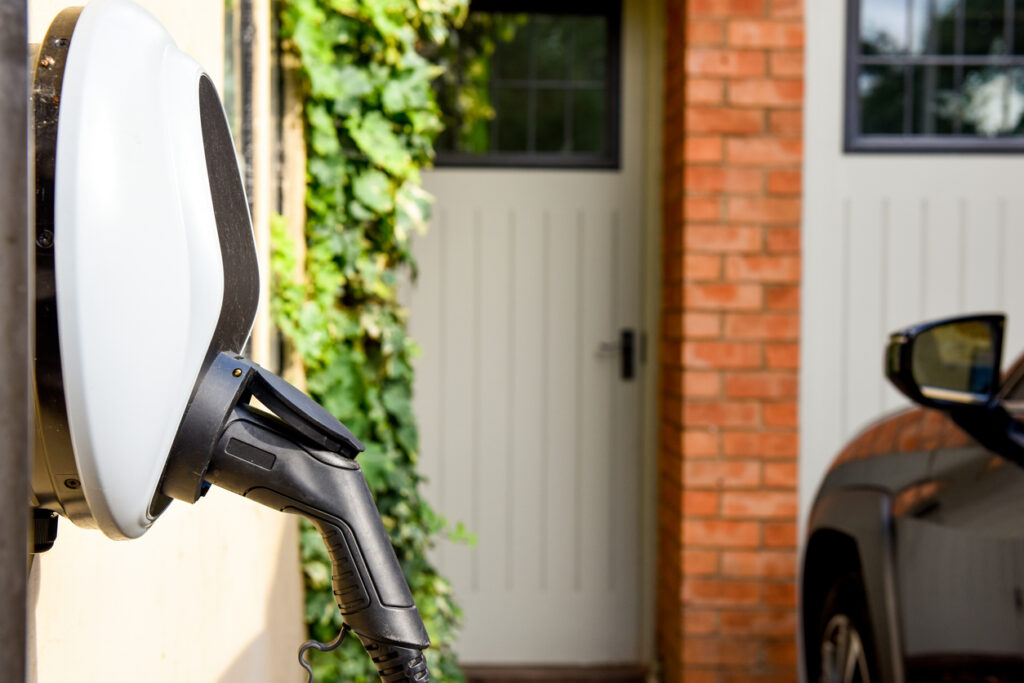
EV Chargers - Guide for Residents
This guide is designed to help you understand how to safely, efficiently, and confidently use the electric vehicle (EV) charging facilities available to you. As electric vehicles become more common, having access to a reliable charging solution at home or within your residential community is an important convenience.
Whether you’re new to EV ownership or already experienced, this guide will walk you through the key steps of operating the charger, understanding its features, and following best practices to ensure safe and optimal use.
Communal EV Chargers - AmpEV Managed Systems
(Apartment Blocks & Shared Parking Areas)
In many apartment blocks and communal parking areas, EV chargers are located in shared, non-allocated parking spaces. These facilities are designed to be used fairly and efficiently by all residents. Please follow the guidance below to ensure safe, smooth, and respectful use.
1. Park Correctly
Park only in a marked EV charging bay.
Ensure your vehicle does not block access to other chargers or parking spaces.
These bays are typically for active charging only.
2. Plug in Your Charging Cable
Connect the cable to the charger first.
Then securely connect it to your vehicle.
Check that the connection is firm and properly seated before starting the session.
3. Start Your Charging Session
You can begin charging using one of the following methods:
Option A – Mobile App (Recommended)
Download the AmpEV app:
www.ampev.co.uk/app
Create an account and add your payment details.
Scan the QR code on the charger or enter the charger ID manually.
Select the charger and tap Start Charging.
Option B – Pay As You Go (No Account Needed)
Scan the QR code on the charger with your phone camera.
Follow the secure payment link.
Enter your payment details and begin charging.
Option C – RFID Card (If Provided)
Tap your RFID card on the charger.
Wait for confirmation that your session has started.
During Charging
Your session will begin once the charger is connected and activated.
Charging costs are based on your energy usage, in line with your housing scheme’s tariff.
Charger lights or the app will indicate that charging is in progress.
You can monitor your session via the mobile app (if using it).
How to Stop Charging
Stop the session via the mobile app or tap your RFID card again.
Wait for confirmation that charging has ended.
Disconnect the cable from your vehicle, then from the charger.
Ensure cables are returned neatly (if applicable).
Important guidelines for shared use to ensure fair access for all residents:
- Move your vehicle promptly once charging is complete
- Avoid leaving your car in the bay longer than necessary
- Do not use EV bays for parking if you are not charging
- Be considerate—others may be waiting to charge their vehicles.
Safety & Site Etiquette
- Always follow on-site signage and bay markings
- Keep charging cables tidy and avoid trip hazards
- Report any damaged equipment to your Jigsaw Homes Group immediately
- Do not tamper with chargers or attempt repairs yourself
- Supervise children and avoid allowing them to play near charging equipment.
Private EV Chargers
(Individual Homes or Allocated Spaces)
Start Charging
1. Plug your cable into the charger
2. Plug the other end into your vehicle
3. The charger will usually start automatically or after a simple activation (depending on model)
During Charging
Charging will continue until:
- The battery is full, or
- You manually stop the session
How to Stop Charging
- Stop the session via the charger controls (if applicable)
- Unplug your vehicle
Please ensure that you follow all health and safety guidelines.